Prison Legacy Tools and References
Hardware checks and control notes so you spend time in the yard, not in the launcher.
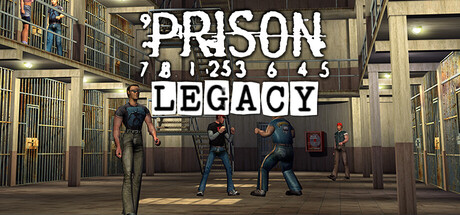
The tools hub collects practical references for Prison Legacy on Steam: can your PC run it, how do you move and fight, how Steam Deck fits, and where systems guides live when you need more than a checklist. Gameplay depth lives elsewhere — this hub is for launchers, hardware, and input habits so you spend time in the yard instead of the error log.
Tool pages
- System Requirements — Windows, Linux, Vulkan GPU notes, storage and RAM, Low Memory mode.
- Controls — mouse and keyboard focused play, UI habits, and combat input mindset.
- Steam Deck Guide — official Deck compatibility, Vulkan checks, thermals, community layouts, docked mouse play, and Low Memory tips.
When to use this hub
Use tools pages before you buy on a low-spec machine, before you gift the game to a friend, when a patch mentions driver updates, or when someone asks whether the Deck can handle a craft-heavy night. After you are running smoothly, switch to the Guides Hub for gameplay depth and the Updates Hub for patch context. Clan officers can paste the requirements or Deck guide into Discord when recruiting players on older laptops or handhelds.
Quick compatibility summary
Prison Legacy uses a Vulkan 1.1 custom engine with native Windows and Linux builds. There is no DirectX or OpenGL fallback — if Vulkan fails to initialise, the client will not quietly switch APIs. Minimum specs target dual-core CPUs, 4 GB RAM, and 2 GB VRAM GPUs from roughly 2015 onward. Recommended play is happier on quad-core CPUs, 8 GB RAM, and 4 GB VRAM cards. An online connection is required for the social MMORPG loops; treat offline tinkering as launcher-only.
Steam Deck compatibility was called out in official materials for the 20 November 2026 Steam launch. Expect desktop-class controls adapted to the handheld, with best results when you verify Vulkan drivers, manage thermals under longer turn-based sessions, and dock with a mouse for crafting UI. Deep handheld setup lives on the Steam Deck Guide. Windows desktop remains the primary reference for troubleshooting screenshots.
Troubleshooting mindset
- Confirm GPU drivers expose a working Vulkan ICD before blaming the game.
- Note OS (Windows vs Linux vs SteamOS), GPU model, and VRAM when asking for help on official channels linked from the Links Hub.
- Re-read system requirements after major GPU driver branches, not after every content patch.
- Learn controls once, then focus on combat AP decisions — input familiarity cuts misclicks in tense turns.
- On Deck, follow the Steam Deck Guide for layouts, FPS caps, and docked craft nights before refunding on impulse.
- If a friend cannot launch after purchase, walk them through Vulkan first; refunds and store issues stay on Steam Support.
Related reading
- Getting Started — first hours after a clean install.
- Steam Launch notes — pricing, platforms, beta wipe context.
- Open Beta Recap — how busy the October–November 2026 test already was.
- Links Hub — official support and community channels.
- Players Hub — once the client runs, pick among the twelve crimes.
Keep this hub bookmarked if you maintain multiple PCs, a Deck, or help clanmates troubleshoot black screens before their first fight. Stable hardware is the quiet foundation under every Mercenary duel and Corrupt Politician deal.
Frequently Asked Questions
Quick answers for new and returning inmates.
Does Prison Legacy run on Mac?
No Mac client at launch. Supported platforms are Windows and Linux on Steam, with Steam Deck called out as compatible.
Is Steam Deck supported?
Official materials list Steam Deck compatibility from launch. See the Steam Deck Guide for Vulkan, thermals, layouts, and docked tips.
Where are gameplay guides?
See the Guides Hub for combat, crafting, clans, and beginner walkthroughs.
Why does Vulkan matter so much?
The custom engine targets Vulkan 1.1 with no DirectX/OpenGL fallback. Broken Vulkan usually means a hard launch failure.
Do I need to re-check requirements after every patch?
Only when launcher notes mention drivers, Vulkan, or OS support. Content balance patches rarely change minimums.